Introduction
Messaging has become an essential part of daily communication, and WhatsApp remains one of the most widely used platforms worldwide. With both the mobile app and Whatsapp web available, users often wonder which version offers the better experience. While both platforms are connected to the same account and provide similar messaging features, they differ in convenience, accessibility, functionality, and performance.
Choosing between the mobile app and Whatsapp web depends on your personal needs, work habits, and communication style. Some users prefer the portability of smartphones, while others enjoy the comfort of typing messages from a desktop keyboard. Understanding the strengths and weaknesses of both can help you decide which option fits your lifestyle better.
Understanding Whatsapp Web
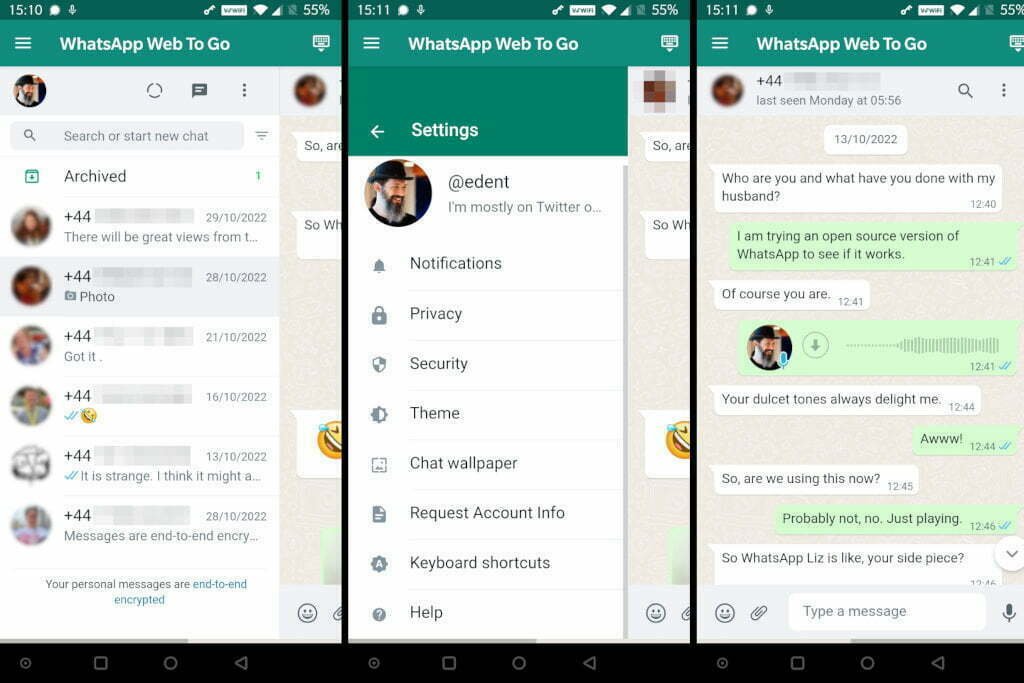
Whatsapp web is the browser-based version of WhatsApp that allows users to access chats directly from a computer. Instead of constantly checking a smartphone, users can scan a QR code and instantly connect their account to a desktop browser.
The main purpose of Whatsapp web is to make communication easier while working or browsing on a computer. It mirrors conversations from the mobile app and keeps everything synchronized in real time.
Many professionals and students rely on Whatsapp web because it improves productivity and allows faster communication during work hours.
How the Mobile App Works
The mobile app is the primary version of WhatsApp designed for smartphones and tablets. It offers full messaging functionality along with voice calls, video calls, status updates, media sharing, and mobile notifications.
Unlike Whatsapp web, the mobile app is built for portability. Users can communicate from anywhere as long as they have internet access. It remains the most complete version of WhatsApp and includes all advanced features before they arrive on desktop platforms.
The app also integrates with smartphone hardware, including cameras, microphones, GPS, and contact lists.
Ease of Access and Convenience
Advantages of Whatsapp Web
Whatsapp web offers excellent convenience for users who spend long hours on a computer. Switching between work tasks and messaging becomes easier because there is no need to pick up the phone repeatedly.
Typing on a full-sized keyboard is faster and more comfortable, especially during lengthy conversations. File sharing is also easier because documents stored on the computer can be uploaded directly into chats.
Another major advantage is multitasking. Users can keep Whatsapp web open in a browser tab while working on emails, spreadsheets, or research projects.
Advantages of the Mobile App
The mobile app provides unmatched accessibility because it travels with the user everywhere. Whether commuting, shopping, traveling, or relaxing at home, communication remains available instantly.
Push notifications on smartphones are generally faster and more reliable than browser notifications. The mobile app also works better in situations where a computer is unavailable.
For people who prefer mobility and instant communication, the mobile app remains the superior choice.
Features Comparison
Messaging Features
Both Whatsapp web and the mobile app support text messaging, emoji sharing, stickers, document sharing, and media uploads. Conversations stay synchronized across devices, ensuring continuity.
However, the mobile app often receives new features first. Some updates may take time before appearing on Whatsapp web.
Calling Features
Voice and video calls are more reliable and flexible on the mobile app. Smartphones are optimized for calls using built-in microphones and cameras.
Although desktop calling support has improved on Whatsapp web, many users still experience better call quality on mobile devices.
Status Updates
The mobile app offers a smoother experience for viewing and uploading WhatsApp Status updates. While Whatsapp web supports status viewing, mobile devices make it easier to capture and upload real-time photos and videos.
Camera and Media Integration
The mobile app has better integration with smartphone cameras and galleries. Users can instantly capture photos, record videos, and share their location.
Whatsapp web relies on the computer’s webcam and file system, which may not feel as seamless.
Productivity and Work Efficiency
Why Professionals Prefer Whatsapp Web
For office workers and remote teams, Whatsapp web can significantly improve productivity. Typing lengthy responses becomes faster, and sharing business documents is more convenient.
Employees who work on computers throughout the day can avoid distractions caused by constantly checking phones. Keeping Whatsapp web open in a browser helps maintain workflow efficiency.
Customer service agents and freelancers also benefit from desktop messaging because handling multiple conversations becomes easier.
Why Mobile Users Stay Productive
The mobile app helps users remain productive outside the office. Notifications arrive instantly, allowing quick responses while traveling or attending meetings.
Many entrepreneurs and business owners rely on the mobile app because they are frequently away from their desks. The app ensures they never miss important messages.
Security and Privacy
Security on Whatsapp Web
Whatsapp web uses end-to-end encryption just like the mobile app. Messages remain secure during transmission.
However, using Whatsapp web on shared or public computers can create privacy risks. Forgetting to log out may allow others to access conversations.
Users should always enable screen locks and regularly review linked devices from the mobile app settings.
Security on the Mobile App
The mobile app generally offers stronger privacy because smartphones are personal devices. Features such as fingerprint locks, face recognition, and app lock settings provide additional protection.
Mobile operating systems also offer better security integration compared to web browsers.
For users concerned about privacy, the mobile app usually feels safer.
Speed and Performance
Whatsapp Web Performance
Whatsapp web performs very well on modern computers with stable internet connections. Large screens improve visibility and make navigation easier.
However, browser performance can vary depending on RAM usage, internet speed, and the number of open tabs.
Sometimes, Whatsapp web may disconnect temporarily if the phone loses connection or battery power.
Mobile App Performance
The mobile app is optimized specifically for smartphones and usually provides stable performance. Notifications arrive quickly, and chats load smoothly.
Since the app is designed for mobile operating systems, it generally consumes fewer system resources compared to running Whatsapp web in a browser.
Battery Usage and Resource Consumption
Using Whatsapp web can help reduce smartphone screen time and preserve battery life because users interact from a computer instead of constantly unlocking their phones.
On the other hand, keeping Whatsapp web active for long periods may increase browser memory usage and laptop battery consumption.
The mobile app consumes mobile battery power throughout the day, especially when using calls, video chats, or background synchronization.
Which Option Is Better for Students
Students often prefer Whatsapp web while studying or attending online classes. Typing assignments, sharing notes, and communicating with classmates becomes easier on a computer.
At the same time, the mobile app remains useful for quick communication during travel or campus activities.
Many students use both platforms together for maximum flexibility.
Which Option Is Better for Businesses
Businesses commonly use Whatsapp web because it supports multitasking and improves communication efficiency. Managing customer inquiries from a desktop environment is faster and more organized.
Small business owners can respond to clients while simultaneously handling spreadsheets, invoices, and emails.
Still, the mobile app remains essential for communication outside office hours.
Final Verdict
The choice between Whatsapp web and the mobile app depends entirely on individual preferences and daily routines. Whatsapp web is ideal for users who spend significant time on computers and want faster typing, better multitasking, and improved productivity.
The mobile app remains the better option for portability, instant notifications, camera integration, and stronger privacy features. It provides the complete WhatsApp experience and works reliably in almost every situation.
For most users, the best solution is combining both platforms. Using Whatsapp web during work or study sessions and switching to the mobile app while on the move creates the perfect balance of convenience and functionality.